If an old tutorial tells you to install Assistant Relay, paste Google credentials into a Node.js server and send “repeat after me” commands to a speaker, stop before following it. The original community project is archived, its maintainer moved to Home Assistant, and Google’s assistant platform has changed around it. There is still a real need behind the workaround: people want software to control devices, run routines or make an announcement without speaking first. In 2026, however, those are three different jobs with three different supported paths. Google Home automations suit most households, Google Home APIs are intended for app developers, and Home Assistant can bridge some advanced command and broadcast cases—with documented limitations.
The old relay solved a real problem through an unofficial route
Assistant Relay was a community-built Node.js server. It exposed an HTTP endpoint so another program could submit text that the Google Assistant service would interpret much like a spoken request. That made it attractive to people using SmartThings, Node-RED, Raspberry Pi scripts and early home-automation systems. A script could ask Google to control a device that lacked a direct integration, or send a broadcast to speakers.
The project’s own repository now says the maintainer no longer supports it, personally migrated to Home Assistant and will leave versions 3 and 4 in their existing state. GitHub marks the repository as archived and read-only. The same notice points users to Home Assistant’s direct Google Assistant SDK integration, introduced in Home Assistant 2023.1. Those are decisive maintenance signals: Assistant Relay may explain an old installation, but it is not a sound foundation for a new one. Archived Assistant Relay repository
This is not merely a question of whether the server still launches. An automation that depends on old packages, an unofficial authentication flow and a changing cloud service can fail without a useful migration path. It also asks a household to maintain credentials and a network-facing service for a convenience feature. If an existing relay still runs, document what calls it and what each command does before replacing it. Do not expose it to the public internet, and do not rebuild it from a years-old tutorial as if the security and platform assumptions were frozen in time.
Google Assistant itself is no longer one stable target
Google announced in March 2025 that classic Google Assistant would be replaced by Gemini on most mobile devices. The company separately introduced Gemini for Home for speakers and displays. By September 2026, Google’s help material still describes Gemini for Home voice access as a rollout: availability depends on country, language, account and compatible hardware, and a home that switches cannot switch back. That means instructions written for “Google Assistant” can now describe several different product states. Google: Assistant on mobile is upgrading to Gemini Google: Gemini for Home availability
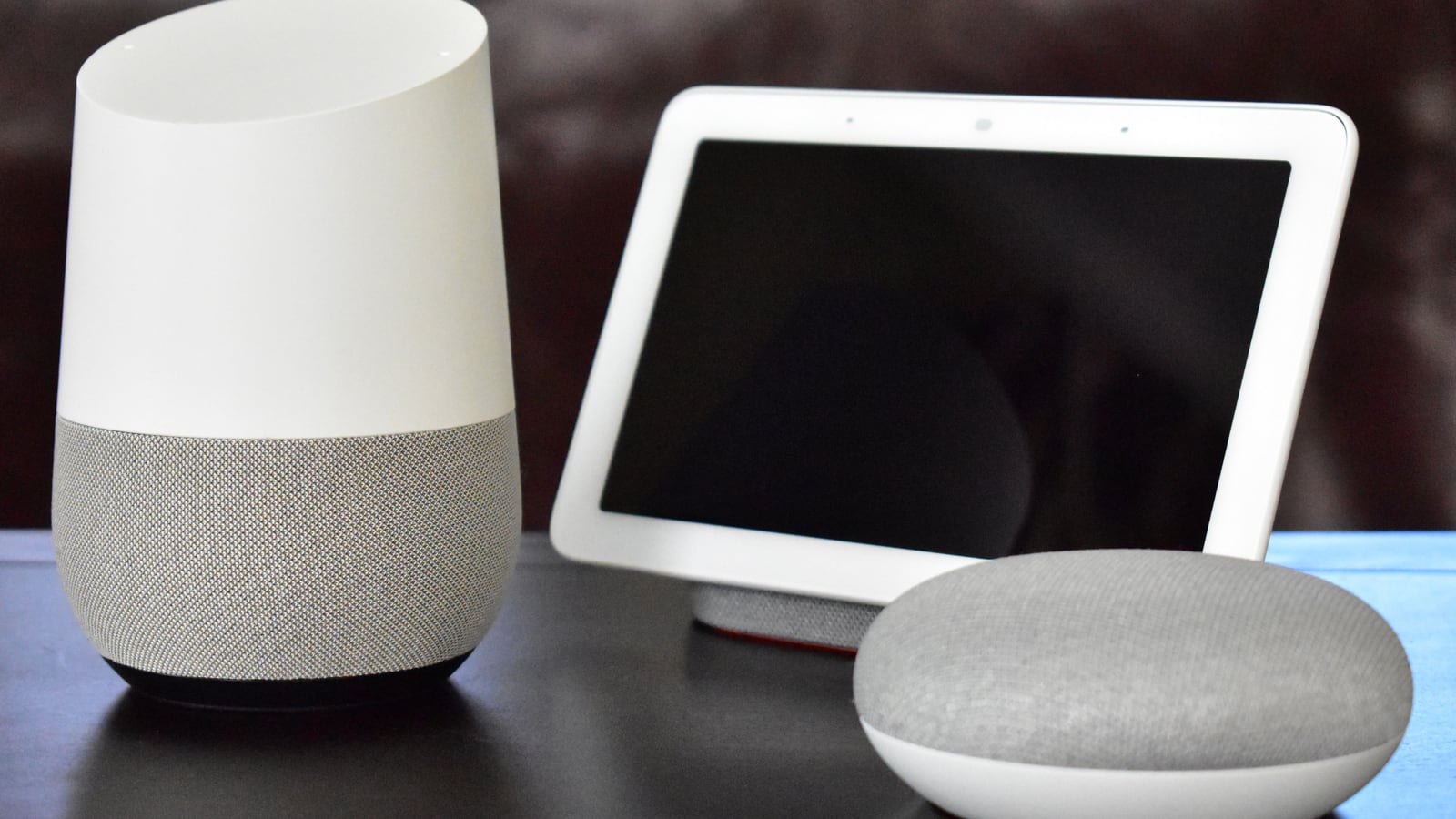
The hardware name adds more confusion. Google Home began as a speaker brand, Google later used Nest branding for much of the hardware, and the Google Home app became the control surface for devices and automations. “Google Home,” “Google Assistant,” “Gemini,” “Home APIs” and “Google Assistant SDK” are related names, not interchangeable products. Before troubleshooting, identify the device, the assistant currently active on it, the Home app version, the household account and the country or language configuration.
A command that works when spoken is not proof that Google offers a supported web endpoint for arbitrary remote text. Consumer voice features, household automations and developer APIs have different permission models. Treating them as one universal command pipe is what made relay workarounds powerful—and brittle.
For household routines, start in Google Home rather than with a relay
Google Home household automations combine starters, conditions and actions. The newer automation editor covers common device behaviour without requiring a private server: a time, presence state or device event can trigger supported actions. Google also offers a script editor for more advanced household routines. It uses YAML, supports validation before activation and remains labelled Public Preview in Google’s documentation. Google Home automation management Google Home script editor
This is the best first replacement when the old relay performed a predictable home task: turn off downstairs lights at bedtime, adjust heating on a schedule, react to a sensor or run a shared routine. Build the action against the device integration itself instead of asking an assistant to parse a sentence. A direct action is easier to validate and less likely to break because wording, language recognition or an assistant response changes.
There are boundaries. Not every device exposes every starter or action, and region and language support vary. Google warns that automations depend on internet, Wi-Fi and third-party services and should not be used where failure could cause injury or damage. A routine can improve convenience; it should not be the only safeguard for a heater, lock, medical need or other safety-critical process. Test a new routine while present, review the activity history and provide a manual control path.
For an app, use Google Home APIs—not a simulated voice request
Google’s Home APIs are the maintained developer route for Android and iOS apps that need permissioned access to a user’s home. They expose structures, rooms, devices, device capabilities and automations, with support for Matter and cloud-to-cloud devices in the Google Home ecosystem. The user grants access through OAuth rather than handing an unofficial relay a reusable account credential. Google Home APIs overview Home APIs architecture for Android
The Home APIs are not a general replacement for typing any sentence into Assistant. They are a structured interface for discovering supported devices, reading permitted state, issuing defined commands and creating automations. That is a strength. A light exposes light functions; a thermostat exposes climate functions. An app can check capabilities instead of hoping a natural-language phrase reaches the right service.
This path also carries real product work. Developers need platform code, a Google Home Developer Console project, consent and permission handling, supported device testing and any required verification before release. Someone who wants a single evening routine should not build an app. A company adding smart-home control to a maintained Android or iOS product should not base that product on an archived hobby relay.
For Home Assistant broadcasts and text commands, use the maintained integration carefully
Home Assistant documents a Google Assistant SDK integration that can send a text command, broadcast a message to compatible Google speakers and displays, and play an Assistant audio response on a media player. That covers the closest surviving use cases to Assistant Relay. It requires a Home Assistant installation, a Google Cloud project and OAuth credentials, so it is not a zero-configuration substitute. Home Assistant: Google Assistant SDK integration
Read the limitations before migrating. Home Assistant says text responses are no longer returned by the Google API; responses arrive as audio. Multiple Google accounts are not supported. Routines cannot be triggered through this integration, some media commands fail, identity-dependent commands do not work, and room-specific broadcasts can be unreliable in non-English languages. A successful authentication test therefore does not prove every old relay command has an equivalent.
Separate the two directions as well. The Google Assistant integration lets a person control Home Assistant-managed devices by voice. The Google Assistant SDK integration lets Home Assistant send certain commands or broadcasts toward Google’s assistant service. They solve opposite flows and have different setup. Naming the direction first—voice to Home Assistant, or Home Assistant to Google—prevents hours of configuring the wrong component.
“Repeat after me” was a workaround, not a dependable announcement API
Old routines often used phrases such as “repeat after me” to make a speaker say custom text. That could be entertaining and sometimes useful, but it relied on conversational behaviour rather than a contract for text-to-speech. Assistant responses can vary by device, language, account and product generation. Gemini for Home introduces another assistant layer rather than guaranteeing every historic phrase.
If the goal is an announcement, use an explicit broadcast or text-to-speech action that your maintained platform documents. If the goal is a reminder, use a reminder or household automation. If the goal is spoken feedback from an app, use a supported audio or notification channel. Matching the mechanism to the purpose gives you error reporting and clearer privacy expectations; making an assistant parrot a sentence hides both.
Announcements also deserve restraint. A whole-home broadcast can reveal private calendar, security or health information to visitors and children. Use neutral wording, choose target devices where the platform reliably supports them, and avoid putting secrets into automation logs or spoken messages. Test volume and quiet-hour behaviour. The cleverest automation is not helpful if it surprises everyone in the house at 2 a.m.
A “relay assistant” can mean something entirely different
One of the old Articleous pages mixed smart-home relays with accessibility services. In telecommunications relay service, a communications assistant is a person employed by a relay provider who relays a conversation between users, such as by converting text to voice and voice to text. The US Federal Communications Commission describes that as a service enabling people with hearing or speech disabilities to communicate by telephone. It is not a smart speaker, project manager or home-automation device. FCC: Telecommunications Relay Service FAQ
The distinction matters beyond terminology. Accessibility relay services have legal, confidentiality and functional-equivalence requirements. A community REST server called Assistant Relay has none of that role. Searching “relay assistant” without context can surface both subjects; a useful guide must ask whether the reader means an accessibility communications assistant, an electrical relay, or the discontinued Google Assistant bridge.
Articleous has therefore consolidated the old pages rather than preserving their contradictory definitions. The accessibility term belongs with authoritative relay-service guidance. The technology term belongs in this migration guide. Combining them into a vague claim that relay assistants are office workers, disability tools and voice-controlled devices at once would preserve confusion, not information.
Use a five-step migration instead of copying an old setup
First, inventory every caller of the old relay: dashboards, scheduled jobs, webhooks, Node-RED flows and phone shortcuts. Record the exact intended outcome, not only the command string. “Broadcast that the wash is finished” is an outcome; “POST this sentence to port 3000” is an implementation detail.
Second, classify each outcome. Put ordinary household behaviour into Google Home automations. Put a maintained app’s device controls into Home APIs. Put advanced self-hosted orchestration into Home Assistant, using direct device integrations where possible and its Google Assistant SDK bridge only for the documented cases that still require Google. Retire commands whose only purpose was novelty.
Third, rebuild one flow at a time and test both success and failure. Confirm what happens when the internet is down, a speaker is unavailable, a device is renamed or an OAuth grant expires. Fourth, remove stored relay credentials and close any exposed port only after the replacement is verified. Fifth, keep a short operations note with the owner, dependencies and fallback. That documentation is what prevents today’s supported replacement from becoming tomorrow’s mysterious server.
There is no universal successor because the old relay crossed product boundaries that modern platforms deliberately separate. The practical answer is still encouraging: the common jobs did not disappear. They moved into maintained automations, permissioned device APIs and documented Home Assistant integrations. Replace the shortcut with the system designed for the job, and the smart home becomes less magical in the best sense—more legible, testable and repairable.
